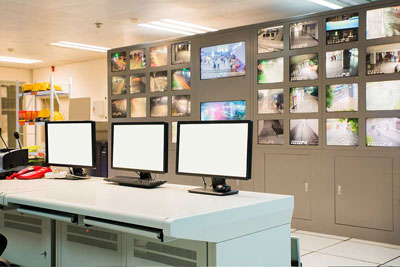
Welcome to the command center of modern facility management. Explore the full capabilities of the Workplace Management System (WMS)—a robust, digital ecosystem designed to replace manual logs with high-precision oversight, ensuring every patrol and every checkpoint is verified in real-time.
Scheduling - Features
Auto-scheduling to avoid scheduling conflicts or shifts with no assigned worker
Flexible schedule start day
Optionally display employee pictures in schedule view
Employee substitution with automatic restore
Mobile app, land line, employee portal to allow employee check in and out
SMS notification for missed, late, and early check in and out
SMS notifications sent to multiple contacts – global, individual, by site or client
Overtime and schedule suitability requirement warning
Overtime control and warning for filling posts
Overtime warning in scheduling and monitoring
Limited access available for users at one or all branches
Timesheet verification by job, post, or employee
Timesheet verification against schedule data
Configurable automated shift hours update based on employee electronic check in and out.
Scheduling warning if employee is banned at the Client, Site or post level
Audit trail of schedule changes
Planning schedule setup for recurring jobs and shifts
Actual (Current) schedule copied (generated) from planning schedule for current week(s) work
Modification of current schedule without affecting planning schedules.
Option for partial schedule generation to handle new jobs starting in the middle of a schedule
Easy shift setup for emergency and on demand job requests
Synchronized scheduling across time zones
Option to assign employees to multiple clients/sites/posts
Configurable shift data points for shift quick view and editing
Ability to copy and paste schedules
Views by schedule, customer, post, site times, site employee, site day, and post employees
Cross tabulation of pay and billing hours across the different views
Support planned shift rotations
Future scheduling capabilities
Automatic removal of inactive employees from schedules
Automatic warning of open shifts
Employee records automatically updated for absences and vacations
User definable lunch requirements
Synchronized and unsynchronized bill and pay hours per shift
Handling of training shifts
Employee availability queries for job qualifications, overtime, and pay rate
Employee look-up for open posts based on user-definable criteria
Employee and client holiday and absence handling
Multiple available schedules per customer job
Allowing overlapping shifts per job
Easily merge or split shifts
View schedule history
Automatically lock shift changes after a user definable period
Checking and resolution of scheduling conflicts, employee availability, job requirements
Checking and resolution of client holidays, overtime, employee qualification and job training.
Time and Attendance Tracking - Features
Alarm generation for variance in the check-in/out schedule
Integration into WMS for scheduling and payroll processing
Dispatch monitor accessible to authorized user via network
Simultaneous, scalable, unlimited call-in
Site, post, and employee check-in monitoring tab
Custom recording for land line call in
Comparison for actual vs scheduled start and end times
Easy transfer of employee hours to payroll
Attendance and time tracking
Dispatch Monitoring - Features
Automatic warnings for overtime and open shifts
Automatic updates for absences and job performance
Automatically updated schedules based on actual activity
Real time view of which employees are checked in and out
Dispatch ability to duplicate shifts and split shifts
Nine criteria to select and replace employees for no shows and call in for partial time off.
Dispatch ability to update schedules with actual times
Monitoring of attendance of employee call in and out by phone, automated call in system, mobile app and web portal
Exception monitoring for check-ins and check-outs
Employee check-in and out screen views by job, post, or employee
Open post screen for dispatch coverage filling
Accounting - general - Features
Payroll and Billing subsystems
Cash Bank deposit and invoice payment application subsystems
Payroll and Billing Reports
Other Accounting reports such as Accounts Receivable, Sales, Deposit and Payments reports
Payroll Export to third party payroll systems
Reports to calculate amounts to post to third party accounting systems
Configurable Sales Tax support for multiple jurisdictions
Payroll - Features
Calculate payroll using customizable and flexible payroll rates and employee pay information
Calculate payroll hours and pay directly from employee schedule based on a variety of options
Option to use employee scheduled or actual hours for payroll calculation
User definable overtime, holiday, and sick pay calculation
Effective dating of pay rates to automatically apply at a future date
Configurable Lunch hours calculation
Configurable client public and custom holiday processing
Configurable employee vacation, absences and holiday processing
Varying pay rates based on job responsibility and client site
Can perform trial billing and invoice generation to view results before actual generation
Automated and Manual timesheet verification processing
Option to edit payroll data prior to creating third-party payroll file
QuickBooks or other third party software integration
Payroll Export to many popular third party payroll systems
Reports showing Payroll summary with regular, O/T, and holiday hours
Time card reports by customer or employee
Reports showing Payroll summary by site, post, and rate
Billing - Features
Automatic billing when equipment is assigned to a customer
Multiple bill rates based on employee level for each job category
Other billable items – e.g radio rental, money pick up, payroll drop off etc.
Consolidated invoices by customer and site
Can perform trial billing and invoice generation to view results before actual generation
Flexible billing: weekly, bi-weekly, monthly, prepaid etc.
Adjustment amount field for courtesy discounts, overcharge/undercharge adjustments etc.
Bill for the scheduled amount hours or match billing with actual hours worked
Option to edit invoices after generation before printing
Flexible invoice format by coverage type, employee name, post name, etc.
Variable invoicing frequencies
Invoices available to print in batches or individually by date range, client, job, etc.
Reports showing Invoice details by shift, day, week, employee, and/or job class
Reports showing Invoice Details and summary totals
Client Features
Available fields for multiple site locations
Alternate billing addresses
Automatic billing when resources are assigned to a customer
Zone and sector fields for client sites
Main, account receivable and emergency contact names and phone numbers
Contract number, start and end date (government contracts)
Space to record specific duties and instructions for a job
Simple setup for job requirements and qualifications
Freeform input user information field
Site code prefix
Client email recording and distribution list creation
Authorization numbers for phone check in and out
Cellular contact numbers for early, late, and missed text messages
Start and end times
Dispatch change reason
Employee Features
Employee profiles, including location, department, payment information, and other options
Employee organization
Location sorting to track and manage employees in any area
Fields for client banned, job banned, and reason
Employee availibity e.g Days and times not available
Multiple employee rates by job responsibilities
Inactive dates and reasons
Last pay change date, authorized-by, effective dating
Employee photo display, storage, and printing
Tracking for employee promotions, qualifications, skills, training, and licenses
Work history updates when generating payroll
Employee email tracking and distribution list creation
Employee schedule infractions saved to employee file
Employee type options
Service report options
Employee uniform tracking
Site/Post Features
Billing and pay rates by post, employee type, and employee name
Site/post pay rates for all or special employees
Special holiday bill and pay rates
Cost center
Overhead cost percentages
Holiday table
No Schedule Days
Overtime billing and pay information
Road supervisor responsible for collecting time sheets
Special billing (e.g. bi-monthly)
Customizable site and post training
Site email storage and distribution list creation
Phone check in and out authorization numbers
Cellular contact numbers for late, early, and missed check in and out text messages
Job location and type
Reports – General – Features
Billing, sales, schedule, employee and payroll reports
Reports by branch and zone/sector
Compatibility with custom report writers (e.g. Crystal Reports)
Selected Key Billing Reports - Features
A/R aging report for any or all clients and jobs
Deposit/Payment distribution report
Customer invoice accounts history reports
Statement of accounts for any or all clients and jobs
Selected Key Client Reports - Features
Client reports with contact names and addresses
Profitability analysis for any or all clients and sites
Sales report for any or all clients with variable to and from dates
Selected Key Employee Reports
Employee pay report, including type, rate, last raise
Employee information report including address, email, telephone, sex, date of hire, position
Employee service and work history reports
EEOC reports for male or female employees with date ranges
Employee infraction reports for the Department of Labor
Reports for licenses, qualification and training, skills
Reports for first and last day worked, items on loan, site banned, termination, and work history
Selected Key Job Reports - Features
Basic and detailed job lists
Bill and pay rates by job
Selected Key Management Reports - Features
Data collection, analysis, and reporting
Insights on information including labor costs and finances
Excel and email compatibility
Real time labor-to-sales percentage updates
Employee income earned during a certain time period
Employee time worked and time off reports
Profit margin reports
Sales reports based on type of service
Profitability and variance reports
Selected Key Time and Attendance tracking Reports - Features
Phone call in and out report
SMS alert generation for call in and out
Not called in schedule report
SMS alert process error report
Actual verses planned work hours variance report
Selected Key Scheduling Reports - Features
Employee over/under scheduled report with user-definable hours
Employee schedule for any or all employees
Employee without schedule alerts
Job sorting by day, employee, or post
Open post shifts report
Schedule print out by week or day for a job or employee
Setup and storage of user defined selection criteria for customer schedule reports
System Features
Context sensitive help screen
Email subsystem for sending reports using distribution lists
Local Area networking compatible
User password system with templates
Extensive user rights and permissions system
Multiple Language support
Quick sort and search capabilities
QuickBooks and Sage Pro ERP Integration
Single or multi-user interface
Support for branches
Web or server based system options
Database tools including table viewer, raw data viewing and update
Database integrity and correction utilities
Data Import and export tools
Schedule a FREE Consultation
A feature list only tells part of the story. Connect with our technical specialists to discuss how we can tailor solutions for your security guard business.