Guard Patrol System:
A Unified Solution
with Mobile Phones, NFC , QrCode and more…
Monitor and verify your employees’ inspection patrols with ease.
The most advanced security guard patrol monitoring system and other hardware solution with the latest technologies that is affordable, flexible, scalable, and easy to use.
What is Security Guard Patrol System (BWAC)?
The Security Guard Patrol System (BWAC) is a unified hardware and software solution designed to monitor and verify inspection patrols in real-time.
Leveraging state-of-the-art NFC, QR Code, and GPS technologies, our cloud-based platform provides a scalable mobile experience for modern security teams.
Key Capabilities
- Automated Patrol Scheduling- Organize shifts with precision.
- Real-Time Incident Tracking- Log and address security events as they happen.
- Live GPS & Instant Alerts- Maintain constant oversight with integrated location data and emergency notifications.
Security Guard Patrol System (BWAC) is an advanced and flexible hardware and software solution for monitoring security guards and other kinds of employees as they complete their inspection patrols.
Our system uses state-of-the-art technologies such as RFID/Touch readers, Mobile App, NFC, QR Code and GPS.
Our mobile guard tour system is cloud-based and scalable with features such as patrol scheduling, incident tracking, GPS tracking and alerts.
- Would You Like to Have a
Free Trial For 60 Days?
Manage Your Security Operations with Advanced Guard Tour Patrol System from BCS
The BWAC solution is a professional-grade platform designed to modernize security operations. Through our intuitive mobile app, guards can conduct site tours, submit real-time reports, and complete tasks with GPS-backed verification. All data is instantly synced to your back-office dashboard, while your clients gain transparent access to approved reports through a dedicated Web Portal.
This BCS solution is an advanced guard patrol monitoring system which helps you manage security patrol operations professionally. Through guard patrol monitoring system guards can conduct site tours, submit reports, complete tasks, and more with the mobile app. All the data becomes readily available on the Back-Office Dashboard. Also, your clients can access all the approved reports using our client Web Portal.

RCheckIn Auto Reports
Our auto report feature allows your guards to send email reports through the app directly to their clients. This makes reporting on patrol activities an easy, seamless process that can be done on the guard’s mobile phone right after they complete their rounds.
Each day, after completing his patrol rounds, the guard is able to select an option on the RCheckIn app on his phone to send a report via email to the clients he worked for that day. This report contains all the guard’s activity for the day including all rounds, checkpoints visited, and any incidents they reported.
Patrol System Types
Choose either “Simple Patrol” or “Scheduled Patrol” to accommodate your patrolling needs. With a Simple Patrol setup, there are no schedules and patrol data is reported as is, without checking for missed, on time, late, etc. With Scheduled Patrol, use schedules and rounds to specify the times when checkpoint tags should be scanned. This allows you to determine if checkpoints were scanned on time, early, late, or not at all.
Patrol Scheduling
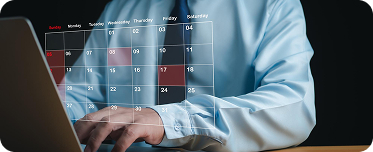
Comprehensive scheduling functions make it easy to setup schedules and rounds, as well as time ranges when checkpoint tags should be scanned. Our system includes features such as repeating rounds for days of the week, grace periods for early or late scans, date restrictions for holidays, alternate schedules, and notifications for various events.
Wi-Fi Only
The Wi-Fi Only mode in our app allows you to ensure you are not subject to potentially costly mobile data charges. Simply turn on the “Wi-Fi Only” feature in the RCheckIn app to have the app set to go into “offline” mode whenever Wi-Fi is unavailable.
This means patrol data will be stored locally on the app when Wi-Fi is unavailable, even if mobile data is available. This prevents any potential mobile data charges. The app will switch back to “online” mode once Wi-Fi is available again, and the locally stored data will be uploaded to the server.
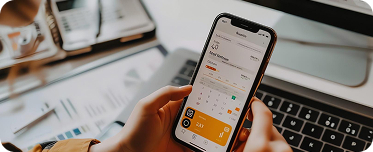
Mobile App
With our BCS RCHeckin App, you can use your phone to read NFC tags, QR Code tags, and GPS locations. The app sends the patrol data in real time so that it can be checked and reported instantly. This allows you to reduce costs by simply using phones instead of specialized tag readers.
Key Features Of Security Guard Tour System
Simple time and attendance
Record employees check in and checkout times, as well as site visit times.
GPS Tracking
GPS tracking for patrol scans, check ins, and other events.
Email Notifications
Configurable email notifications sent to designated mobile phones depending on events.
Flexible reports
Flexible, configurable reports of patrol events, logs, and lists.
Branches
Support for multiple branches at no additional costs to fit your organization
Cloud Based
Cloud based data storage for expandability and efficiency.
No installation & server needed
Our web-based patrol monitoring system can be accessed easily from any web browser.
Incident reporting
Record and submit incidents on the BCS RCheckIn App.
RCheckIn Auto Reports
The in-built auto report feature in our patrol management software allows your guards to send email reports through the app directly to their clients. This makes reporting on patrol activities an easy, seamless process that can be done on the guard’s mobile phone right after they complete their rounds.
Wi-Fi Only
The Wi-Fi Only mode in our app allows you to ensure you are not subject to potentially costly mobile data charges. Simply turn on the “Wi-Fi Only” feature in the RCheckIn app to have the app set to go into “offline” mode whenever Wi-Fi is unavailable.
Phone Alerts
Configurable alerts sent to designated mobile phones depending on events (missed checkpoint, late scan, etc.)
Client portal
Let your client log in and use selected functions such as report generation, etc.
Event Monitor
View and react to configurable alerts like missed checkpoints or late scans.
Permission and Rights
Comprehensive user setup including user IDs, passwords, detailed access rights, & permission assignment to various features & functions.
Scalable
Built-in support for scaling from small to large companies and organizations.
Affordable
Ideal for companies at any budget or size, we offer flexible pricing based on usage.
Patrol System Types
Choose either “Simple Patrol” or “Scheduled Patrol” to accommodate your patrolling needs.
Patrol Scheduling
Comprehensive scheduling functions make it easy to setup schedules and rounds, as well as time ranges
Mobile App
With our BCS RCheckIn App, you can use your phone to read NFC tags, QR Code tags, and GPS locations.
Choose from a variety of hardware options
Choose from a variety of hardware options designed for reliability in the field. From rugged RFID readers to modern NFC-enabled devices, our guard patrol monitoring system integrates seamlessly with your existing infrastructure to ensure total patrol compliance.
Tags for checkpoints
RfId
Touch Memory
QR Codes
NFC and GPS
Readers
RfId
Touch Memory Reader
Android or Apple Mobile
Data transfer from Readers to software
Wireless
Internet, Data transfer station connected to a Pc or network
Developing Security Guard Tour System Since 1985
Brooklyn Computer Systems has joined forces with strategic partners to provide the best and most complete security guard tour system for security companies which include automation of security operations, scheduling, integration to different payroll software and back-office management.

Our Software Products
Expand your operational capabilities. Beyond guard monitoring, BCS-INT provides a comprehensive suite of management solutions to streamline operations and services across industries. Take a look.